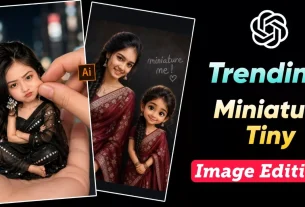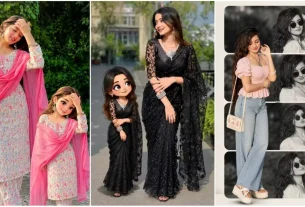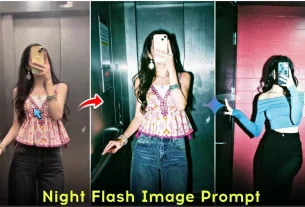
Cinematic Collage Ai photo Editing Prompts – Friends, if you have been active on social media for some time, then you must already know that ChatGPT was one of the first tools that made AI photo creation popular. Earlier, people were creating many types of AI images using ChatGPT. Then suddenly the trend shifted towards Google Gemini, and everyone started using it for photo generation.
But now, once again, the craze of ChatGPT is returning on platforms like Instagram. Recently, creators have started making cinematic AI photos again, and these images are going viral very fast. Right now, both boys and girls are creating AI photos, but especially girls’ cinematic and collage-style photos are getting massive engagement. Many creators are also making videos around these edits. Keeping all this in mind, in today’s article, I’m going to share prompts that can help you create all these trending AI photos easily.
Complete Guide Cinematic Collage Ai photo Editing Prompts
Friends, many types of AI images are trending right now, but some styles are going especially viral. The most popular one is the collage-style cinematic photo, which is widely used by girls. Apart from this, people also call it “college style” or “music lover” editing. Another trending style is lock screen wallpaper editing, mostly used for couple photos. Along with this, butterfly-style creative edits are also going viral, where artistic elements are added to the subject. And yes, the flashlight effect editing is still trending as well. What I mean to say is that all these different types of photos are being created using ChatGPT prompts. In this article, you will get prompts for all these styles so that you can also create similar images and upload them on Instagram. Each prompt is designed in a way that you can easily understand what kind of photo it will generate.
What Would The Image Created From The Prompt Be Like?
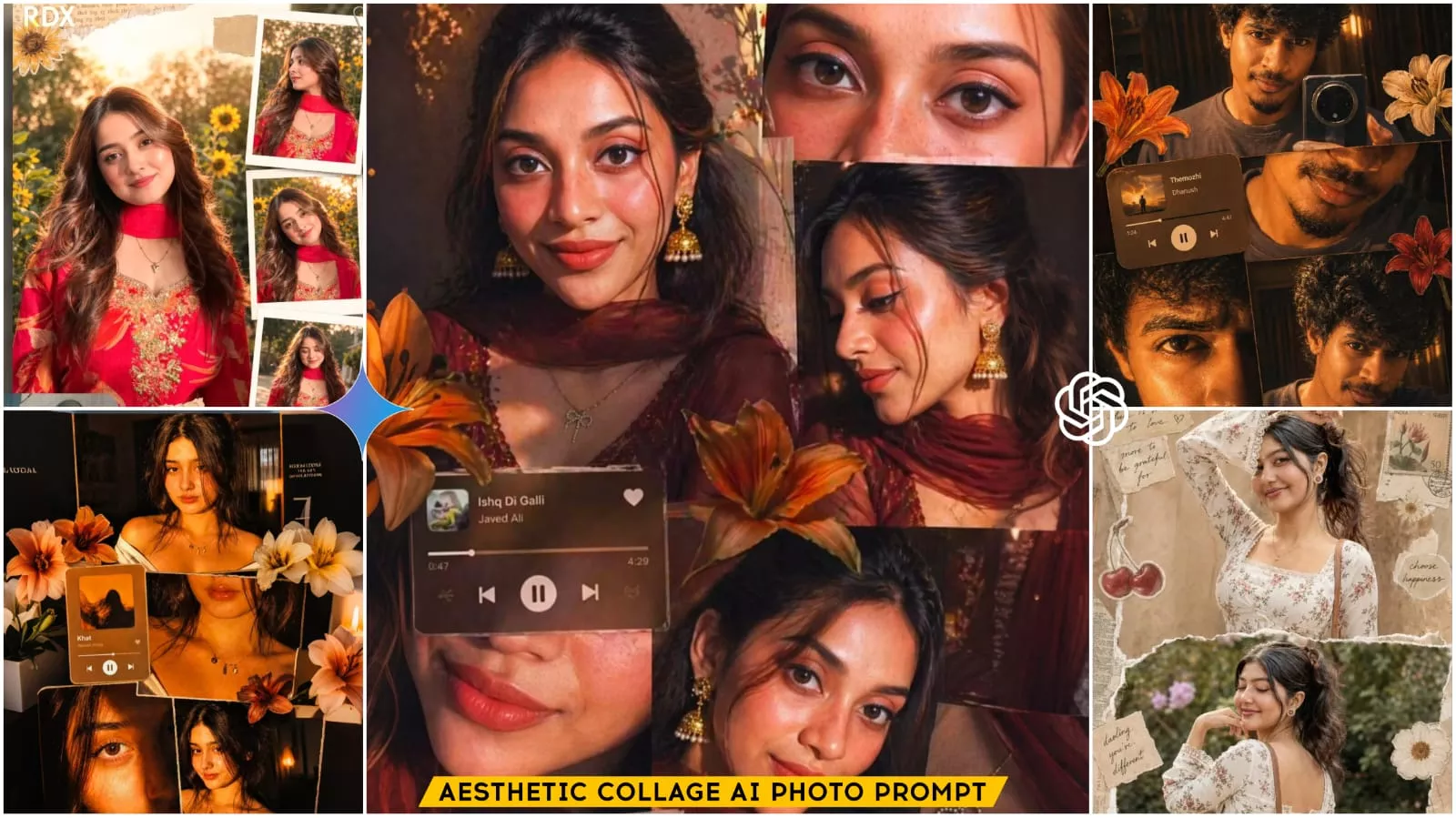
Now let’s understand what kind of output you will get from these prompts. In the first style, you will get an aesthetic collage-type cinematic photo. In this, the girl is usually shown wearing a maroon saree with traditional jewelry like jhumkas. The vibe is romantic and classic cinematic, with warm golden sunlight that gives a natural glow to the face. There is also a music player interface in the image, where a song like “Tum Mile” is shown playing.
In the second style, you will see a creative butterfly edit. Here, the subject is designed in a graphical way, with butterfly wings behind them. The wings may include multiple frames or faces, giving a very unique and artistic look. The outfit is often in teal or blue shades. The third type is wallpaper-style editing. In this, a boy and a girl are shown from a low-angle shot, looking towards the camera. They usually form a heart shape with their hands, giving a romantic couple vibe. All these styles are highly engaging and perfect for social media.
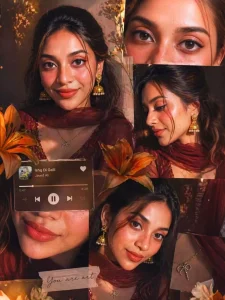
Ultra-realistic cinematic collage of a young woman using the uploaded face exactly.The image is composed of multiple rectangular photo panels layered vertically and diagonally, creating a scrapbook-style layout. Each panel shows close-up and mid-shot portraits of the same girl in a dim indoor room.Lighting: strong, warm, golden-orange direct flash lighting hitting the face from the front-left, creating high contrast, deep shadows, and a glowing skin effect.Background remains dark with visible window curtains slightly illuminated. Harsh highlights on cheekbones, nose, and lips.Slight film grain and soft blur for a dreamy vintage feel. Color grading: intense amber, burnt orange, and golden tones dominating the entire image.High saturation, slightly crushed blacks, and glowing highlights.Subject styling: messy tied-back hair with loose strands falling on face, glossy lips, subtle eyeliner, dewy skin. Wearing a delicate necklace with small pendants and a casual off-shoulder white top.Composition details:Top panel: serious expression, looking directly at camera.Middle panel: cropped lips and necklace close-up.Bottom left: extreme close-up of eyes with strong shadow split across face.Bottom right: angled portrait with soft side gaze.Panels overlap slightly with uneven spacing for aesthetic collage look.Overlay elements:Add realistic flower stickers (lilies in orange, cream, and red tones) placed around the collage.Add a music player Ul card in the center-left area with a soft rounded design.Music player text:Title: "salvatore"Artist: "Lana del rey"Include minimal playback bar and icons (play/pause, skip).Final touches:Slight glow/bloom effect on highlightsSubtle vignette around edgesFlash photography look, like taken on a digital camera at nightMaintain natural skin texture, avoid over-smoothing
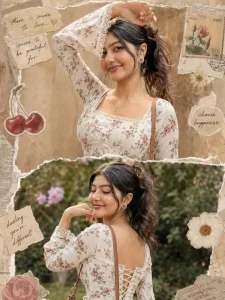
Use only the uploaded face (identical in all panels).Create an ultra-realistic 3-panel vertical collage (top/middle/bottom) of the same young woman.Outfit: White floral cotton kurti, square neckline (front/back), fited bodice with
corset lace-up, long bell sleeves with lace
trim. Minimal gold jewelry + shoulder
handbag. Same hair (long, slightly
voluminous) and styling in all panels.
Top: Close-up side pose, one arm raised, soft confident expression, warm lighting, textured background.
Middle: Back pose, hand under chin, eyes closed smiling, natural daylight, outdoor garden.
Bottom: Mid-shot front pose, hand on head, looking sideways, warm sunlight, slightly grainy backdrop.
Style: Ultra-realistic scrapbook collage with torn paper edges, vintage textures, stickers (cherries/flowers), stamps, handwritten notes. Cohesive across all pannel
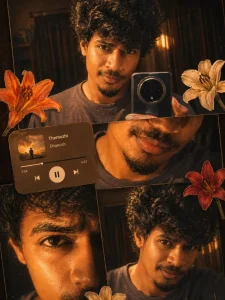
Ultra-realistic cinematic collage of a young Man using the uploaded face exactly. The image is composed of multiple rectangular photo panels layered vertically and diagonally, creating a scrapbook-style layout. Each panel shows close-up and mid-shot portraits of the same girl in a dim indoor room. Lighting: strong, warm, golden-orange direct flash lighting hitting the face from the front-left, creating high contrast, deep shadows, and a glowing skin effect. Background remains dark with visible window curtains slightly illuminated. Harsh highlights on cheekbones, nose, and lips. Slight film grain and soft blur for a dreamy vintage feel. Color grading: intense amber, burnt orange, and golden emozhi tones dominating the entire image. High saturation, slightly crushed blacks, and glowing highlights. Subject styling: messy back hair, glossy lips, dewy skin. Wearing a casual tee. Composition details: Top panel: serious expression, looking directly at 11 camera. Middle panel: cropped lips and necklace close-up. Bottom left: extreme close-up of eyes with strong shadow split across face. Bottom right: angled portrait with soft side gaze. Panels overlap slightly with uneven spacing for aesthetic collage look. Overlay elements: Add realistic flower stickers (lilies in orange, cream, and red tones) placed around the collage. Add a music player Ul card in the center-left area with a soft rounded design. Music player text: Title: "Themozhi" Artist: "Dhanush" Include minimal playback bar and icons (play/pause, skip). Final touches: Slight glow/bloom effect on highlights Subtle vignette around edges Flash photography look, like taken on a digital camera at night Maintain natural skin texture, avoid over-smoothing
How To Use Cinematic Collage Ai photo Editing Prompts
Now let’s talk about how you can create these photos. First, install the ChatGPT app from the Play Store or use its website. After that, log in using your Gmail ID. Once you log in, go to the “Create Image” option. Now copy any prompt from the article and paste it into the chat box. After that, click on the “+” icon and upload a good-quality photo of yourself. Then simply click on the generate button and wait for about one minute. Your AI image will be ready shortly. If it takes time or doesn’t show immediately, you can check it by clicking on the three dots and opening the image section. After generating the image, you can enhance it further using apps like Adobe Lightroom. Adjust brightness, contrast, and saturation slightly to give your photo a more polished and professional look. Then you can upload it on Instagram.
Conclusion
So friends, in today’s article, I have shared prompts for creating all types of trending cinematic AI photos using ChatGPT. Whether it’s collage style, butterfly edit, or lock screen wallpaper, you now have complete knowledge about how to create each one. Right now, collage-style and music-lover edits are going extremely viral, so I would suggest you try them first. Use these prompts with your own photo and create your AI image as soon as possible. Then upload it on Instagram to take advantage of the trend. If you want more such editing tutorials and trending prompts, make sure to follow us and stay connected.