Trending Childhood Vs Present Look AI Photo Editing Prompts – Friends, in today’s article I am going to share a very viral “childhood vs present look” AI photo editing trend. Right now, a lot of people are creating this type of photo and it is getting huge engagement on social media. If you also want to create such a photo, then don’t worry—I will give you the exact prompts and the full method in this article. With the help of ChatGPT, you can create this type of image in just one click. I will also provide prompts for both boys and girls, so anyone can easily create their own version. Just read the article carefully and follow each step.
Childhood Vs Present Look AI Photo Editing
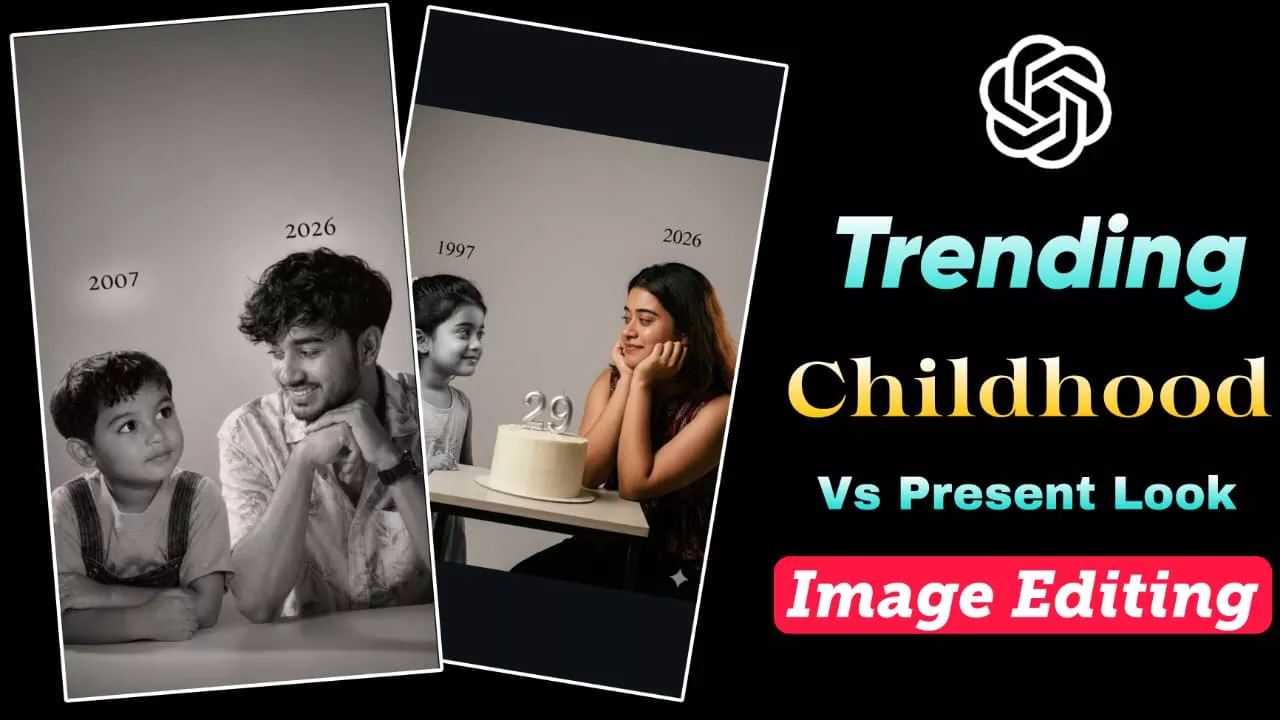
So friends, let’s understand this trend first. In this editing style, you will see a comparison between childhood and present time. Usually, the current photo is shown clearly, and beside it a childhood photo is placed. Along with that, a year or a small text is written, which makes the image more emotional and attractive. This type of photo looks very special because it shows your journey from childhood to now. Both boys and girls are creating and sharing these images. At first, it might look like a complex edit that takes a lot of time—but the truth is, you can create it instantly using a simple prompt in ChatGPT. If you upload this kind of photo on platforms like Instagram or use it on your birthday story, it can easily grab attention. You can even create it as a gift for someone special—they will definitely love it.
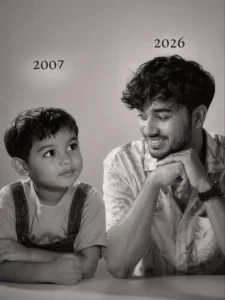
Let the formation be as follows: On the left: a child version of me (from a childhood photo) looking with an innocent smile to the right, with 2004 written above it. On the right: A present version of me (from a recent photo) sits with her hands under her chin and looks at the child with a calm smile wwith2026″ written above her. Studio background: plain and soft (studio background) The lighting: Soft, cinematic, warm (even a black-and-white photo) Style: Professional, minimal emotional photography, focusing on feelings and visual communication between the two versions.Make the picture look so real like abetween the two versions.Make the picture look so real like a real photoshoot.Keep my original features without changing. photo size 9:16
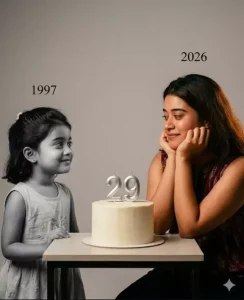
Using the images I’m going to upload tocreate a soft, emotional, black and white art.Let the formation be as follows:On the left: a child version of me (from a childhood photo) looking with an innocentsmile to the right, with “1998 written above it On the right: A present version of me (from a recent photo) sits with her hands under her chin and looks at the child with a calm smile, with “2026” written above her.In the middle: a table with a simple, elegant birthday cake with number 28 on top.Studio background: plain and soft (studiobackground)The lighting: Soft, cinematic, warm (even ablack-and-white photo)Style: Professional, minimal, emotionalphotography, focusing on feelings and visual communication between the two versions.Make the picture look so real like a real photoshoot.Keep my original features withoutchanging.photo size 4:5
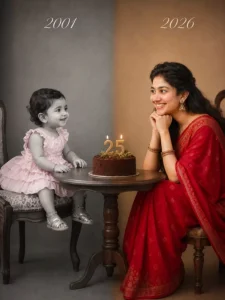
Split-screen studio portrait showing the same person as a child and as an adult, sitting across from each other at a small round wooden table. Left side: Black and white, vintage photo style, year “2001 in elegant script text. Toddler around 1 year old wearing a pink ruffled dress and sitting on a vintage stool. Soft grey studio backdrop.Right side: Full color, modern photo style, year “2026” in elegant script text. Same person now age 25 wearing a red saree, sitting on a stool with chin resting on hands, smiling warmly at her younger self. Warm beige studio backdrop.Center: Simple chocolate birthday cake with “25” candle topper and small greenery on the round wooden table between them.Professional studio lighting, emotional and nostalgic mood, high detail, photorealistic, 85mm lens look, soft shadows. Seamless blend between the two halves.
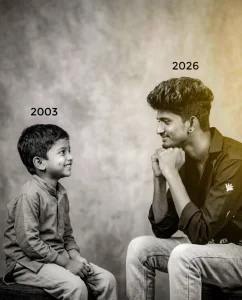
Using the images I’m going to upload to create a soft, emotional, black and white art Let the formation be as follows: 285 On the left: a child version of me (from a childhood photo) looking with an innocent smile to the right, with 2003 written above it, On the right: A present version of me (from a recent photo) sits with her hands under her chin and looks at the child with a calm smile, with “2026” written above her.make this side little yellow shade light effect In the middle: a table with a simple, Studio background: plain and soft (studio background) The lighting: Soft, cinematic, warm (even a black-and-white photo). Style: Professional, minimal, emotionalphotography, focusing on feelinas and visual communication between the two versions. Make the picture look so real like a real photoshoot. Keep my original features without changing.photo size 4:5
How To Create Image
Now let’s learn how you can create this image step by step.
First, download and install the ChatGPT app on your phone (or use the website).
After that, open the app and sign up using your Google account.
Now copy the prompt provided in the article.
Then, inside ChatGPT, upload your photo using the “+” option.
Paste the prompt in the chat box and send it.
After that, just wait for 1–2 minutes. Your AI image will be generated automatically. Once it’s ready, you can save it directly to your device.
Conclusion
So friends, in today’s article I have explained how you can create trending childhood vs present look AI photos using simple prompts. This trend is going viral right now, and you can easily be a part of it. I have shared the full method step by step so that even beginners can create these images without any problem. Just use the prompt, upload your photo, and your image will be ready in seconds. Now don’t wait—create your photo and share it on social media.