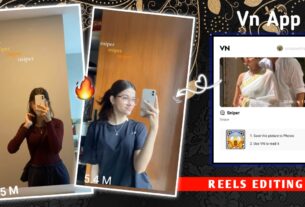
Kitab VN Code Template – So friends, nowadays you must be seeing that many new songs are coming in the Haryanvi music industry, and each song is becoming more popular than the previous one. People are loving these songs a lot, and along with that, editing has also become very important these days. If you want to create a professional and viral video using these songs, then in this article I will show you how you can make such a video very easily by using a code. You don’t need to do heavy editing—this method is very simple. I will explain everything step by step so that even a beginner can understand and create a good video.
What Is In This Kitab VN Code Template?
Talking about this editing style, there is nothing too complex in it. It is a simple but very attractive concept, and that’s the reason why it is going viral. In this template, you will see an interface where multiple songs are shown together. Basically, song thumbnails with their names are placed in a square format. Around four songs are displayed one by one in a proper sequence. First one song appears, then the next one, and each song feels better than the previous one. All the songs used in this edit are trending and popular, which shows that you are a true fan of these songs. If you also like such songs, then you can easily create this type of video. I will guide you step by step below.


What is the Difference Between Using Code and Manual Editing?
So friends, let me explain the difference in a simple way. If you use a code for editing, you can complete your video within just one minute. You don’t need any editing skills at all. Everything is already set—you just need to add your clips, and your video will be ready. But if you go for manual editing, then things become a bit difficult. You will need overlays, proper timing, and some basic editing knowledge like adding photos, effects, and adjusting clips.
The main difference is:
- Code editing → Fast, easy, beginner-friendly
- Manual editing → Time-consuming, needs skills
With code, you get instant results that look professional and viral-ready. But in manual editing, you get more control and customization. So if you are a beginner, using code is the best option.
How To Use Kitab VN Code Template
Now friends, let’s understand how you can create this video using a VN code. The process is very simple—just follow the steps carefully.
First, save the VN code (QR code) on your device
Then install the VN Video Editor app from the Play Store
Open the app, and you will see an option to scan a QR code
Tap on it and scan the code from your gallery
After scanning, the full project will automatically load
Now download the project and open it
Add your video clips as per your choice
After adding clips, click on “Next”
Wait for a few seconds, and your video preview will be ready
If you see any issue like cropping or alignment, you can fix it easily using the Crop option available at the bottom. After making adjustments, export your final video.
Conclusion
So friends, if you want to go viral quickly, then you should upload at least one or two videos daily using trending templates like this. Always follow the current trends and try to create videos in a similar style. Avoid using random or outdated templates, and always use high-quality clips. Make sure your video matches perfectly with the beat of the music. If all these things are done properly, then your chances of going viral increase a lot. So now go ahead, create your video using this VN code template, and start posting consistently.