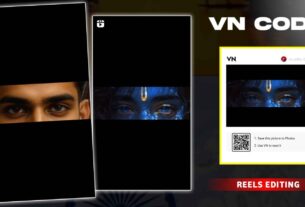
Daily Mini Vlog VN Code Template – So friends, in today’s article I am going to give you the Daily Mini Vlog VN Template. With the help of this, you can create trending mini vlog videos very easily. If you visit our website daily, then you must know that in the previous article I told you how to create this type of vlog video using a CapCut template.
But after that, many of you commented that you need its VN template because you don’t have the CapCut app or you don’t know how to use it properly. So friends, in today’s article I have brought the VN template code for you. Using this code, you can easily create your own trending video in just one click. You don’t need to do anything yourself, just add your small video clips, and your video will be ready automatically.
Daily Mini Vlog VN Code Template
Friends, the biggest advantage of VN template code is that we can create any video very easily in just one click. Because not everyone knows how to use CapCut templates properly and many people face issues again and again. But this problem does not happen with VN templates. In VN Video Editor, you just need to scan the code and add your photos or video clips. After that, it automatically applies all the effects and prepares your mini vlog video. You just have to scan the code, add your clips, click on Next, and wait for a few seconds. Within a short time, your video will be ready with trending effects. If you still don’t understand, don’t worry—I will explain all the steps below.
How to Use Daily Mini Vlog VN Code Template
So friends, if you want to create this type of mini vlog video, first you need to record your video clips properly. Each clip should be at least 5 seconds long. If the clip is shorter than that, it may not work properly in the template. Try to record your clips in a cinematic way and keep your camera stable while recording. After recording your clips, follow the steps given below carefully:
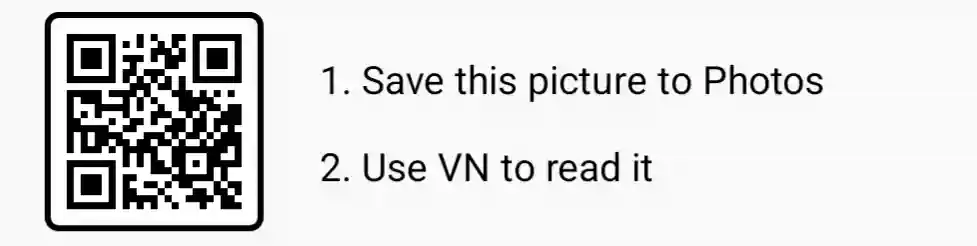
First, save the VN template code in your gallery
Then open the VN Video Editor app
On the top, you will see a scanner icon, click on it
Then click on the gallery option and select your saved VN code
After that, the template will open in front of you
Now click on the red button to download its material
After that, add your recorded video clips
Then click on the Next option
Wait for a few seconds while your video is processing
Finally, click on Export and save your video in your gallery
Best Tips to Record Video Clips for Mini Vlog Videos
Friends, this is the most important part. If you don’t record your clips properly, then your final video will not look good. First of all, decide what type of video you want to make. For example, if you want to create a village vlog, then record clips of roads, surroundings, and important places.
Make sure:
- Each clip is at least 5 seconds long
- Record in a stable way (no shaking)
- Capture different angles
- Use good lighting
When all these clips are combined in the template, your video will look much more professional and attractive.
Last Words
So friends, by following these simple steps, you can easily create trending mini vlog videos. The Daily Mini Vlog VN Template that I have given will help you create videos in just one click without any editing skills. I hope you liked this article and understood everything clearly. Keep visiting for more such trending templates and editing tricks. Now go and create your video and upload it on Instagram. With this trending style, your video can also go viral.