Daily Vlogs Capcut Template – In today’s time, everyone definitely has an ID on social media platforms like Instagram, YouTube, and Facebook. On these platforms, people like to share different types of photos and videos according to their interest. Some people upload daily life vlogs, while some create different types of content based on what they like. Right now, from the last few days, one trend is going very viral on Instagram — daily mini vlog videos. In these videos, people are creating short clips using different Bhojpuri songs and sharing them a lot. These videos are getting very good reach and are becoming viral on social media.
So today’s article is related to this trend, in which I will tell you how you can create your own mini vlog videos. People are making these types of videos using editing apps like CapCut and VN, and they add Bhojpuri songs according to their choice and create amazing videos with transitions and effects. And if you don’t have any knowledge about video editing and still want to create this type of video, then this article is going to be very helpful for you. Because in this, we are going to share VN and CapCut templates to easily create mini vlog videos.
Detail Of Daily Vlogs Capcut Template
To make a mini vlog video on Bhojpuri songs using VN and CapCut templates, you will need multiple video clips. At least 15 to 16 clips are required. The duration of each clip should be around 0.5 seconds. The first clip is usually your face intro, which you can record in front of a mirror. All the remaining clips can be recorded at different places from your daily life. After recording all your clips, you need to trim them. For this, you can use VN Editor or CapCut. Simply open each clip in the app and reduce its duration to 0.5 seconds. Do this for all the clips.
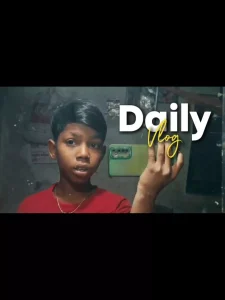
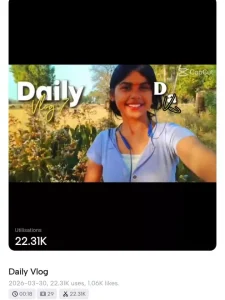
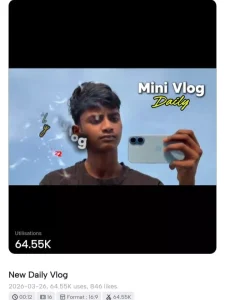
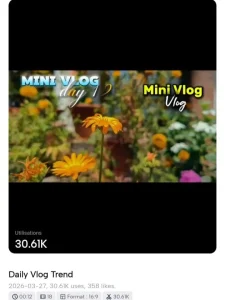
We have also provided VN and CapCut templates based on different Bhojpuri songs like songs of Neelkamal Singh and “Hamro Jawaniya” by Pawan Singh. Templates are available for many such trending songs. If you want to create video using VN template, then save the VN template. And if you want to use CapCut, then simply click on the Use Template button and start editing.
VN Code –

How To Make Daily Vlog Video Manually Using CapCut?
Nothing is better than CapCut for manual video editing because it provides many tools to create professional mini vlog videos. All you have to do is record your clips and add them into CapCut. After adding, first click on the Audio tool and add your favorite song. Now place your mirror selfie video at the beginning and then add all other clips one by one as per your requirement. You can also arrange them according to the beat of the audio. After that, click on the Adjust tool and do color grading so that your video looks more attractive. Now apply Vertical Blur transition effect between all clips one by one. For the first clip (your intro video), click on it and go to the Animation tool, then apply Cross Open animation. You also need to add text in the first video. For this, click on the Text tool, select Mini Block, write “Mini Vlog”, and then go to templates and select Daily Vlog template.
Make Daily Vlog Video Using Vn & Capcut Template
Making a video using templates is very easy. You just need to install VN and CapCut apps on your device and record all your clips in 0.5 seconds duration.
After that, follow these steps:
1. VN Template –
We have provided VN QR code templates in this article. Save them to your device. To save, click on the red button below the QR code. Now open VN App and click on the Scanner option at the top right corner. Then select the saved QR code from your gallery. Click on the Use Template button and add all your clips one by one. After adding, click on Next, and your video will be ready. Then export and save it.
2. CapCut Template –
To create video using CapCut template, click on the Check Template / Use Template button given below. After clicking, it will open directly in CapCut. You can preview the video there. Then click on Use Template, add your clips, and start editing instantly. After clicking on Next, your video will be ready, and you can export it easily.
Conclusion
Currently, mini vlog videos on Bhojpuri songs are becoming very viral on Instagram. Earlier, people used to spend a lot of time creating such videos, but now with VN and CapCut templates, you can create them in just a few minutes. You just need to add your clips and your video will be ready instantly. Templates are available for all trending videos, so you can easily create viral content. so don’t waste time, quickly create your mini vlog video using these templates and post it on Instagram. Your video can definitely go viral. And if you want to watch the full editing process, then you can visit our YouTube channel and learn step-by-step.