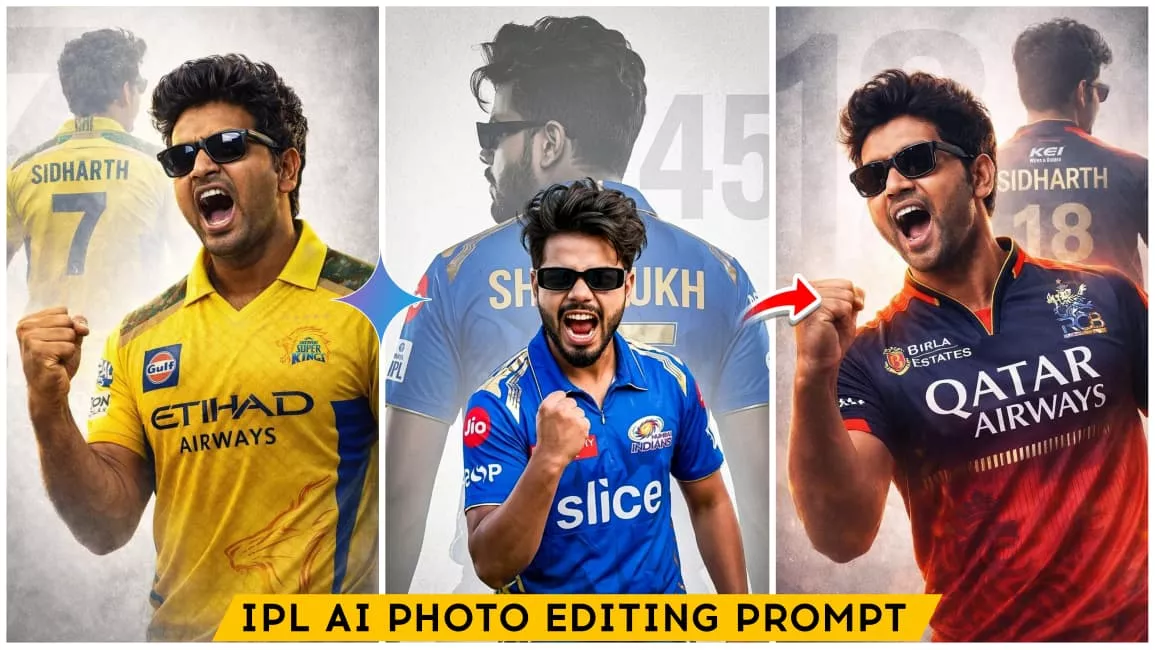
IPL Ai Photo Editing Prompts – So friends, in today’s post I’m going to give you a simple prompt to create trending IPL team jersey photos, along with a complete step-by-step process. You just need to follow the steps carefully and read the article properly to understand everything. As you already know, IPL 2026 is about to begin and the craze is on another level. Especially teams like RCB, CSK, and MI have massive fan followings. Right now, content related to these teams is trending everywhere. The best part? You can create your own IPL jersey photo for absolutely free using Gemini AI. Yes, it’s completely free, you can generate unlimited images, and your face will match almost perfectly. You can even create your favorite team jersey look and show it off to your friends.
Details Of IPL Ai Photo Editing Prompts
If you want your photo or video to go viral, this is the perfect time. Because when something is trending, it automatically gets pushed into people’s feeds and suggestions, increasing your chances of going viral. Right now, IPL is trending everywhere, so creating content around it gives you a huge advantage. But don’t delay—trends don’t last forever. In this article, I’ll first give you the prompt, and then I’ll explain the full process step-by-step so you can easily create your own image.
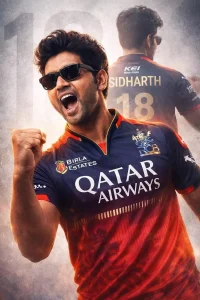
A high-quality sports poster featuring a slim-fit stylish handsome young Indian man (reference- uploaded photo) with quiff-style tousled mid-length black hair, Rectangular black sunglasses. He is wearing a Royal Challengers Bangalore (RCB) cricket jersey in navy blue and red, with official RCB branding and sponsor logos (use uploaded jersey). The image uses a double exposure effect: in the foreground, he is shouting in a triumphant celebration with a clenched fist; in the background, a larger, faded silhouette of him shows his back, displaying the name ‘SIDHARTH’ and the number ‘18’ in metallic gold. The background is a clean, textured light gray with a large, subtle number ‘18’ watermark. Cinematic lighting, sharp focus, 8k resolution, professional graphic design style.
Keep Face must remain exactly same as reference Image, no face change, no reshaping, no beautification
Acpact ratio 3;4
JKH
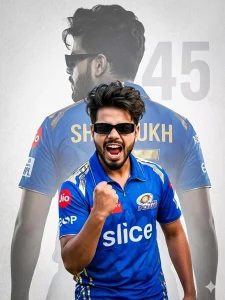
A high-quality sports poster featuring a young boy with quiff-style, tousled mid-length black hair and a light mustache, wearing rectangular black sunglasses. He is dressed in a Mumbai Indians (MI) cricket jersey in iconic royal blue and gold, with official MI branding and sponsor logos. The design uses a powerful double exposure effect: in the foreground, he is captured mid-shout in an intense, triumphant celebration with a clenched fist; in the background, a larger, faded silhouette of him is shown from behind, displaying the name "Shahrukh" and the jersey number "45". The background is a clean, textured light gray with a large, subtle "45" watermark. Cinematic lighting, dramatic contrast, sharp focus, ultra-detailed 8K resolution, professional sports poster graphic design style. Enable stric
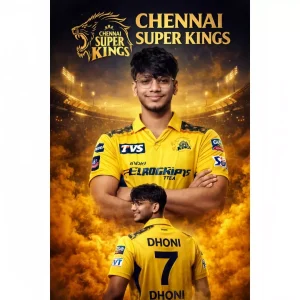
Create a dramatic ultra-realistic IPL-style poster using my photo. Keep my facial features exactly the same. Dress me in a Chennai Super Kings (CSK) inspired yellow jersey with navy blue accents and white sponsor logos on chest and sleeves. Create two versions: a center chest-up portrait with arms crossed and confident smile, and a lower back-body pose wearing a yellow jersey with navy blue "7 DHONI" on the back and army print on both shoulders, smiling and surrounded
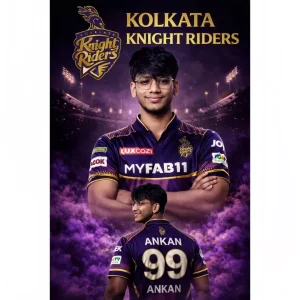
Create a dramatic IPL-style poster using my photo. Keep my facial features exactly the same as in my photo but put me in a kolkata knight riders style jersey, in 2025 style, with sponsor logos in white on the chest and sleeves. Make two versions of me: one large portrait from the chest up with arms crossed and a confident smile in the center, and one back-body image of me below wearing a kolkata knight riders jersey with white colour 99 ANKAN in back smiling,surrounded by purple smoke at the bottom. Use a dark black background with a large kolkata knight riders logo in text golden kolkata knight riders stadium silhouette behind me, similar to a cricket team emblem. Use vivid, high-contrast lighting to make my face and jersey stand out. Make the overall style sharp, colorful and suitable for a sports poster
How To Create Image (Step-by-Step Guide)
Creating this type of AI image is very simple. Just follow these steps:
- First, open Gemini AI and click on the “Create Image” option
- Login using your Google account
- Click on the “+” icon and upload your selfie photo
- Now copy the prompt given above
- Paste the prompt into the text box
- Click on Generate / Send
- Your AI image will be ready in a few seconds
- Download the image and use it anywhere you want
Face Change Fix Problem
Many people face an issue where their face gets changed in the AI image. Don’t worry, here’s a simple solution:
Always upload a selfie photo instead of a full-body photo.
Gemini AI detects faces better in selfies, which helps maintain your original look. This is the easiest and most effective way to fix the face mismatch problem.
So next time, always use a clear selfie for best results.
Conclusion
So friends, now you know everything—how to get the prompt, how to create the image, and how to fix common issues. If you read this article carefully and follow all the steps, you will easily be able to create your own IPL jersey AI photo.
And remember, this trend is hot right now—so don’t miss the chance to go viral. Now it’s your turn—create your own IPL jersey photo and go viral